

Class 11 and 12 · Physics · Chemistry · Maths · Biology
Practice papers that explainevery mistake
Make a paper on any chapter, answer it on your phone, tablet or computer, and get a report that shows exactly where each mark went and how to win it back.
106
Chapters
4
Subjects
1,300+
Kinds of question
2×
Every answer checked
What it does
Practice that tells you why
Every paper is made fresh for you, checked before you see it, and marked with an explanation for every slip.
A paper on any chapter
Pick a subject, up to four chapters and, if you like, the topics. The paper is ready in seconds, with fresh numbers every time.
Answer your way
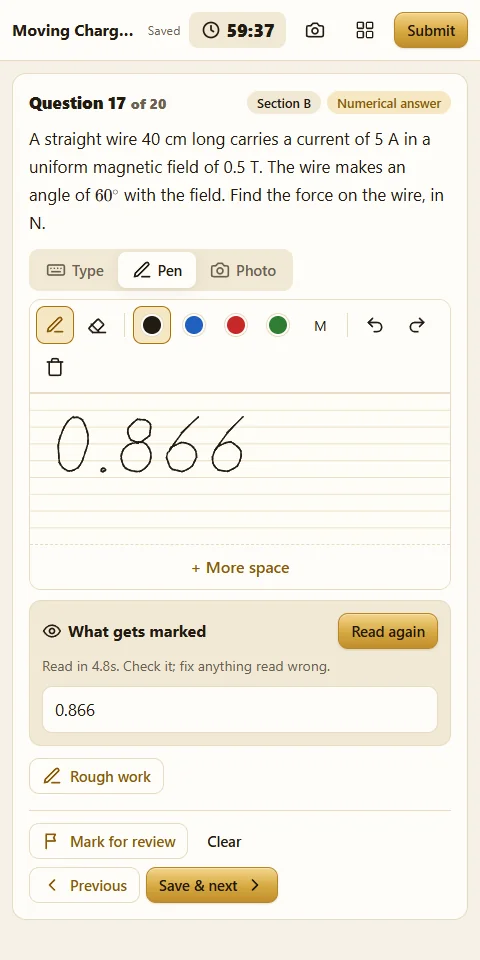
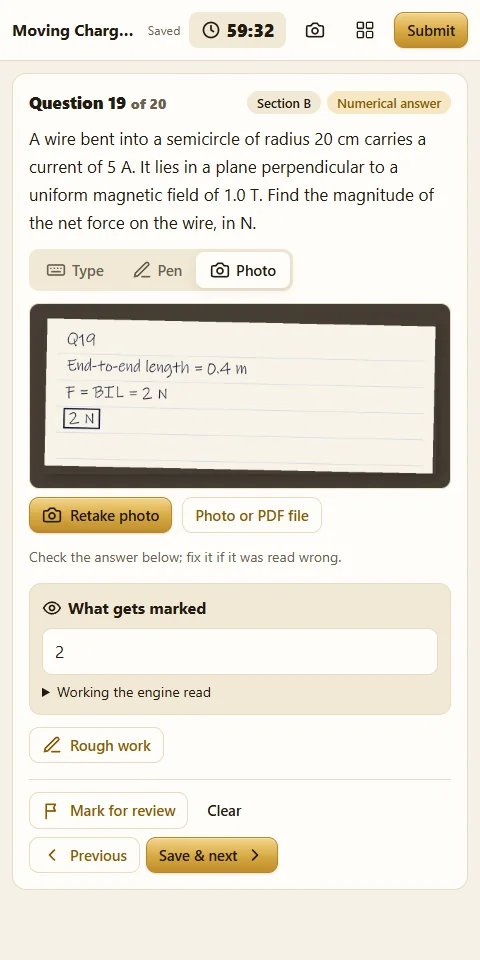
Tap an option, type a number, write with a pen or stylus, or solve on paper and send a photo or a PDF. You see exactly what was read before it is marked.
Every answer checked twice
Each answer is worked out by two separate methods before you see the question, and each paper is marked twice by separate checkers.
Mistakes explained
For every wrong answer: what went wrong, how to fix it, the full solution, and a picture from everyday life, with a drawing, that makes the idea click.
Next paper from your weak spots
Your report shows the topics you slipped on, and the next paper puts more questions there until they are secure.
Nothing lost
Answers save as you go. If the internet or the power goes, open the test again and carry on where you left off.
Inside the app
See it working
Writing an answer with a pen
Solving on paper, then a photo
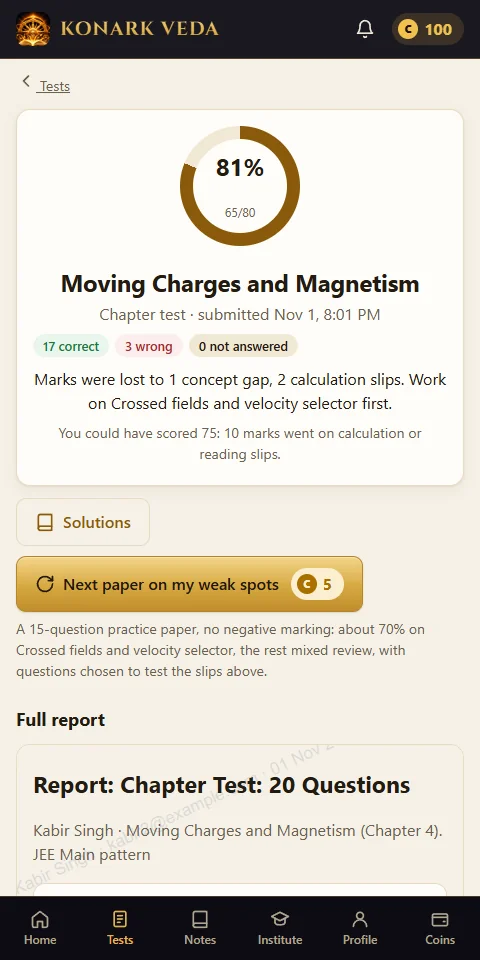
The report after a test
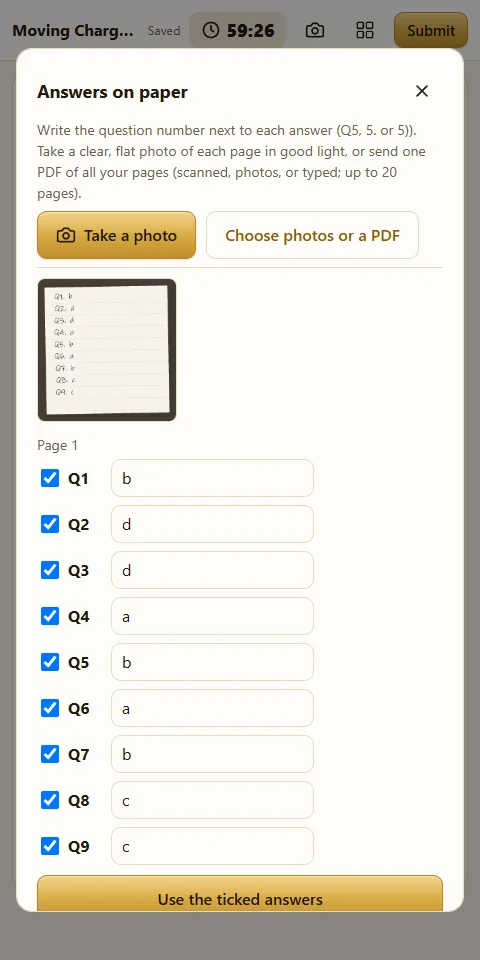
A whole answer sheet, read and checked
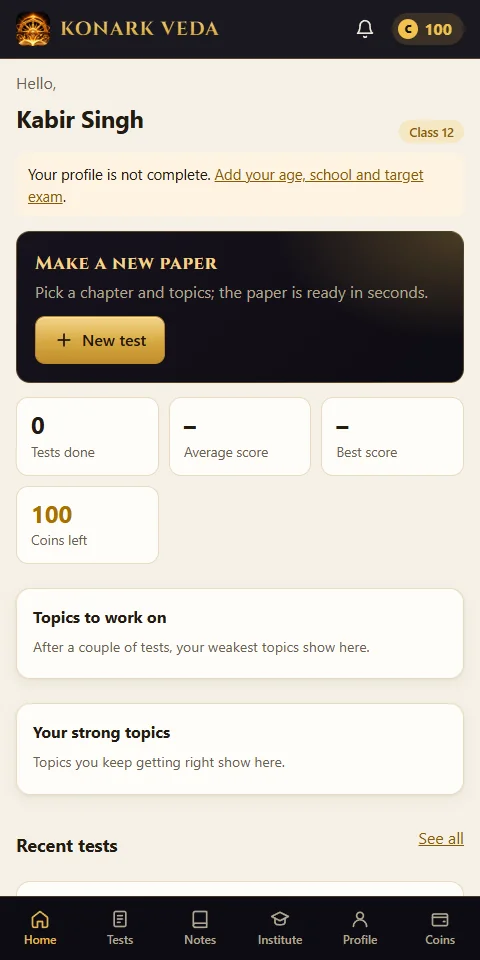
Your progress and coins
How it works
Three steps, every time
1
Pick a chapter
Choose the subject, chapters, topics and paper type: a quick practice, a chapter test, a board paper or a full 50-question set.
2
Answer
On the screen, with a pen, or on paper. Mark questions for review; the timer and the question grid show where you are.
3
Read your report
Your score, each mistake with its fix, step-by-step solutions, and the next paper built from your weak spots.
Download
Get the app
On Android and Windows, install the app. On an iPhone, iPad or Mac, open it in Safari and add it to your home screen.
Android
Version 1.0.5 · 533 KB · 1 Nov 2026
Download for AndroidAndroid 8 or newer. Allow “install unknown apps” for your browser when asked.
Konark Veda colours throughout: black and gold bars. Install over the old app; your account stays.
Check the file (SHA-256)
8fcbe6b192e55943c4bd79afa21a86f5992b6218dfcd7d9cb019868e3e347c44Windows
Version 1.0.3 · 2.7 MB · 1 Nov 2026
Download for WindowsWindows 10 or 11. If SmartScreen warns, choose “More info”, then “Run anyway”.
New name and icon: Konark Veda. Install over the old app; your account stays.
Check the file (SHA-256)
c6fdddbc9f0e72ac5750433d7d37a9024df9ba163c60ae666936cd76f42bf489iPhone, iPad and Mac
iPhone and iPad
- Open the app in Safari.
- Tap Share (the square with an arrow), then Add to Home Screen, then Add.
Mac
- Open the app in Safari (macOS Sonoma or later).
- Choose File, then Add to Dock. In Chrome or Edge, use the install button in the address bar.
It opens from its own icon, full screen, like any app. Write answers with an Apple Pencil, or take photos of your working with the camera.
Start now
Your next paper is one tap away.
Sign up in the app, pick a chapter, and see your first report in minutes.
Open the app